Portable hard disk PCB
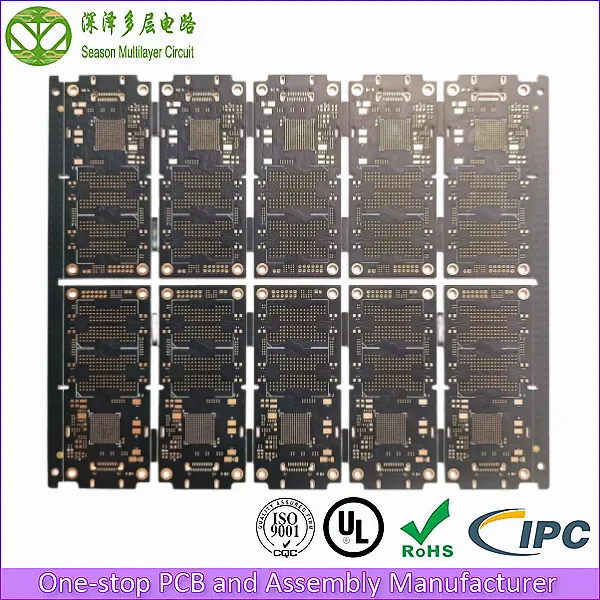
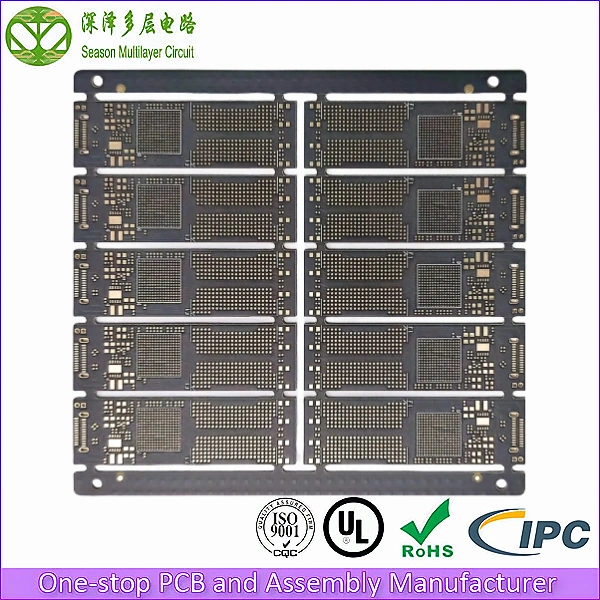
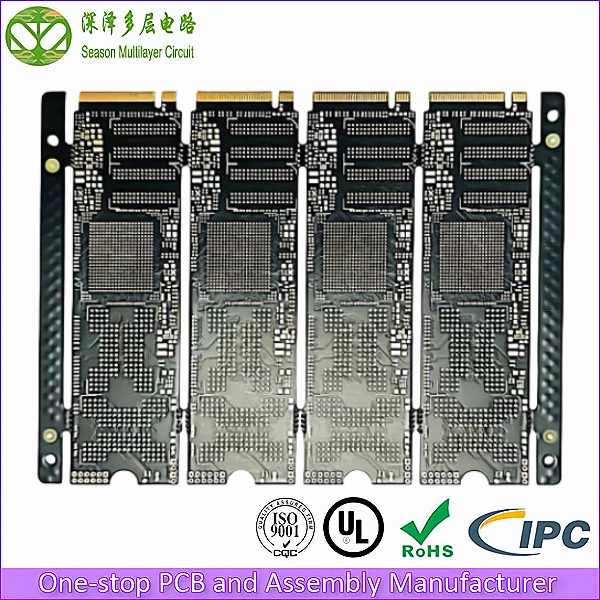
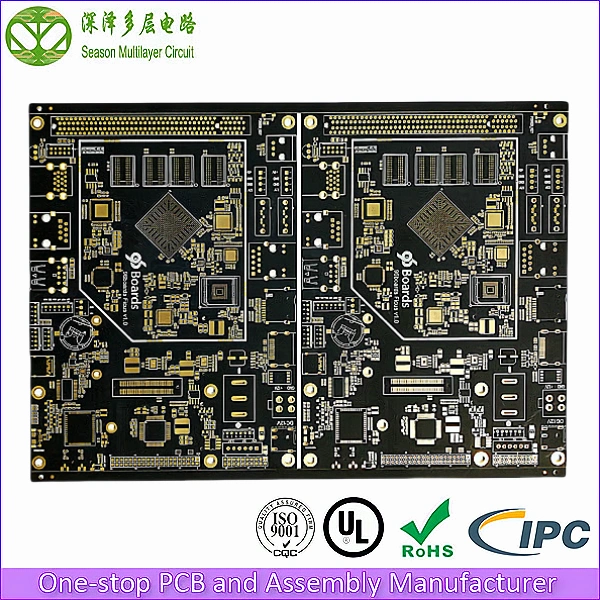
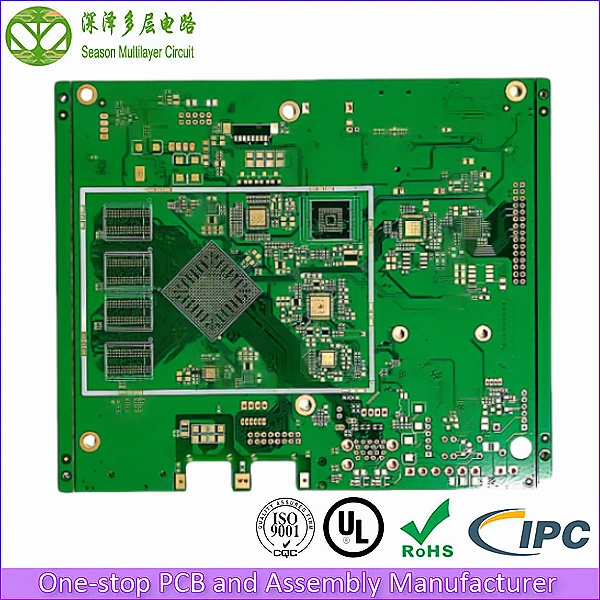
10L Portable hard disk PCB
Layer Count: 10L
Material: FR4 S1000-2M
Board Thickness: 1.0mm
Panel Size: 148*122mm/10
Outer Layer Copper Thickness: 1 OZ
Inner Layer Copper Thickness: H OZ
Min Via Diameter: 0.2mm
Trace Width/Spacing: 3/3mil
Min BGA Pad: 0.25mm
Surface Finish: ENIG1-2U’’
10L Portable hard disk PCB, SMI2320 solution, applied to mobile solid-state drives, mobile storage, mobile data disks and other computer peripheral storage devices.
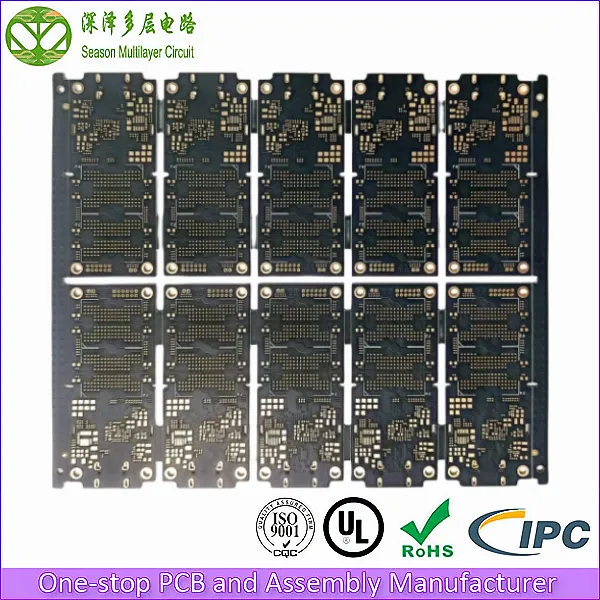
Evolution of Portable Hard Disk Technology: From Mechanical Structure to Intelligent Storage
A portable hard disk is a compact storage device that uses a USB interface to store data on an internal Hard Disk Drive (HDD) or Solid State Drive (SSD). Unlike traditional internal computer drives, portable hard disks offer superior mobility and flexibility, allowing users to access data anytime, anywhere.
Below is a detailed exploration of portable hard disks, with a specific focus on the critical role of the Portable hard disk PCB in their operation.
I.The Origin and Development of Portable Storage
Portable hard disks emerged in the late 1990s. As computers became ubiquitous, storage options were limited to floppy disks and CD-ROMs, which suffered from low capacity and stability issues. The portable hard disk solved these problems, becoming an instant essential for computer users.
- Early Models: Initially, these devices used bulky 5.25-inch drives and connected via USB 1.0 or 2.0.
- Technological Evolution: Over time, the Portable hard disk PCB design became more compact, allowing for smaller, lighter enclosures. Simultaneously, interface standards evolved from USB 1.0 to USB 3.0 and beyond, drastically improving data transfer speeds and stability.
II.Anatomy and Construction
A portable hard disk is typically a small rectangular enclosure made of plastic or metal. While the exterior features branding and status LEDs, the internal architecture is where the magic happens.
The internal structure consists of the storage medium (HDD or SSD) and a Portable hard disk PCB.
- The Storage Medium: Stores data on magnetic platters (HDD) or flash chips (SSD).
- The PCB (Printed Circuit Board): This is the core component. The Portable hard disk PCB houses the main control chip and interface circuits, managing data transmission and power distribution between the drive and the computer.
III.Storage Media: HDD vs. SSD
Portable hard disks generally utilize two types of storage media, both of which rely on a specialized PCB to function:
Mechanical Hard Disk (HDD)
- Uses traditional spinning magnetic platters.
- Pros: High capacity, lower cost per GB.
- Cons: Sensitive to shock/vibration due to moving parts; slower read/write speeds.
Solid State Drive (SSD)
- Uses flash memory chips (no moving parts).
- Pros: Extremely fast, durable, shock-resistant, and compact.
- Cons: Higher price point, generally lower maximum capacity compared to HDDs.
IV.Advantages and Disadvantages
As a portable storage solution, these devices offer distinct pros and cons:
Advantages
- Portability: Small and lightweight, fitting easily in a pocket.
- High Capacity: Capable of storing massive amounts of files, data, and applications.
- Fast Transfer: Especially with USB 3.0/3.1 interfaces and SSD-based units.
- Reliability: The Portable hard disk PCB is designed to ensure stable connections, and SSD models offer excellent (shock resistance) performance.
Disadvantages
- Fragility: Mechanical HDDs are susceptible to damage from drops or external force.
- Cable Dependency: Requires a USB connection, meaning extra cables are often necessary.
- Cost: Generally more expensive than internal drives of equivalent capacity.
V.Application Scenarios
- Data Backup: Essential for backing up critical files and system images.
- Data Exchange: Facilitates easy transfer of large files between different computers.
- Mobile Office: Allows professionals to carry their entire digital workspace with them.
VI.The Critical Role of the Portable Hard Disk PCB
The Portable hard disk PCB is not just a connector; it is the backbone of the device. Its functions are vital to the drive’s performance:
- Connection and Transmission: The Portable hard disk PCB integrates control chips, storage interfaces, and power circuits. It physically connects these components via copper traces, enabling data transfer and power supply from the USB port.
- Data Processing: The controller chip mounted on the PCB manages read/write operations. It also handles complex tasks like error correction and encryption to protect user data.
- Stability and Reliability: A high-quality Portable hard disk PCB ensures signal integrity. Components are soldered onto the board to withstand movement, ensuring the drive works stably even while portable.
- Physical Protection: In many designs, the PCB acts as a structural element, helping to shield sensitive electronic components from dust and minor physical impacts within the casing.
Summary
The portable hard disk remains a vital tool for data storage and exchange. While it has limitations, continuous improvements in Portable hard disk PCB technology and storage media (SSD/HDD) ensure its relevance. As demands for speed and capacity grow, the engineering behind these devices will continue to evolve.
FAQ:Portable hard disk PCB
Q1: What is the function of the Portable hard disk PCB?
A: The Portable hard disk PCB (Printed Circuit Board) acts as the central nervous system of the drive. It connects the storage medium (HDD or SSD) to the USB interface, manages power distribution, and processes data signals. Without a functioning PCB, the drive cannot communicate with a computer.
Q2: Can I replace the PCB on my portable hard disk if it breaks?
A: It is possible but difficult. The Portable hard disk PCB is often specific to the drive’s model and firmware. In professional data recovery, technicians may swap a PCB, but it often requires transferring specific ROM chips or adapting the firmware to match the original drive.
Q3: Is a Portable hard disk PCB different from a standard internal drive PCB?
A: Yes. While they share similarities, a Portable hard disk PCB is designed to be more compact and includes specific bridge controllers (like SATA-to-USB bridges) to convert the drive’s internal interface to a USB signal for external use.
Q4: How can I protect my Portable hard disk PCB from damage?
A: Since the PCB is inside the casing, the best protection is to avoid dropping the drive or exposing it to water. Using a shock-absorbing case and safely ejecting the drive before unplugging it helps prevent electrical surges that could damage the PCB components.